
WhatsApp QR and API
Connect your existing number by QR in a minute; add an official WhatsApp Business API number for template messages.
Omnichannel messaging for Bitrix24
WhatsApp, WhatsApp Business API, Telegram and Bitrix24 live chat in a single inbox. Your team replies from one place; every conversation, tag and note is recorded in the CRM.
 🟢 New message · WhatsApp
🏷️ Hot lead → CRM
🟢 New message · WhatsApp
🏷️ Hot lead → CRM
One app, every channel
ChatPilot Web inbox
Unread chats first, waiting time always visible. Filter by status, tag, connection and duplicates; search even inside message text.

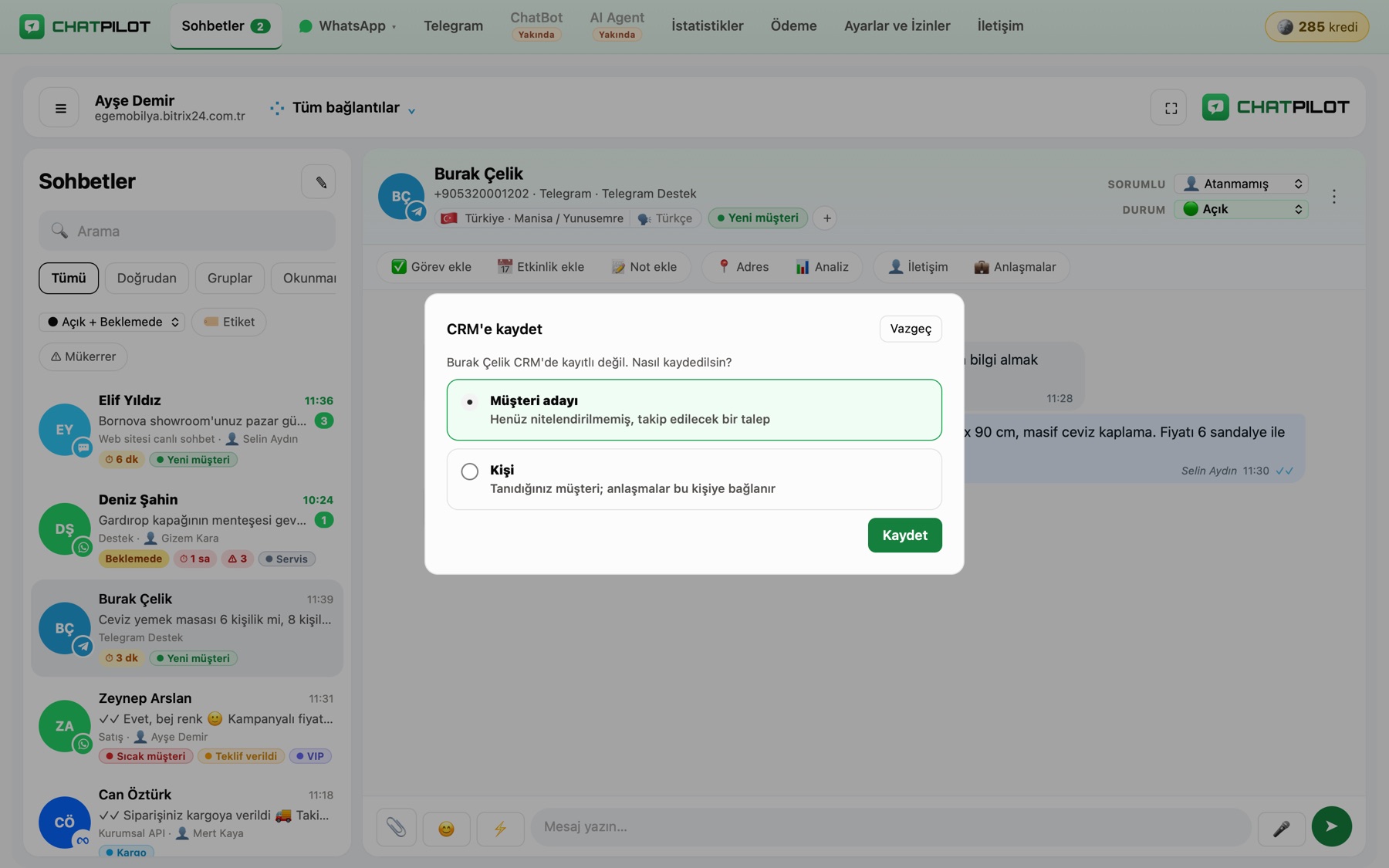
Built into the CRM
Create a lead or contact in one click and open a deal in the pipeline of your choice. Add tasks and activities; notes are posted as comments on contact and deal cards.
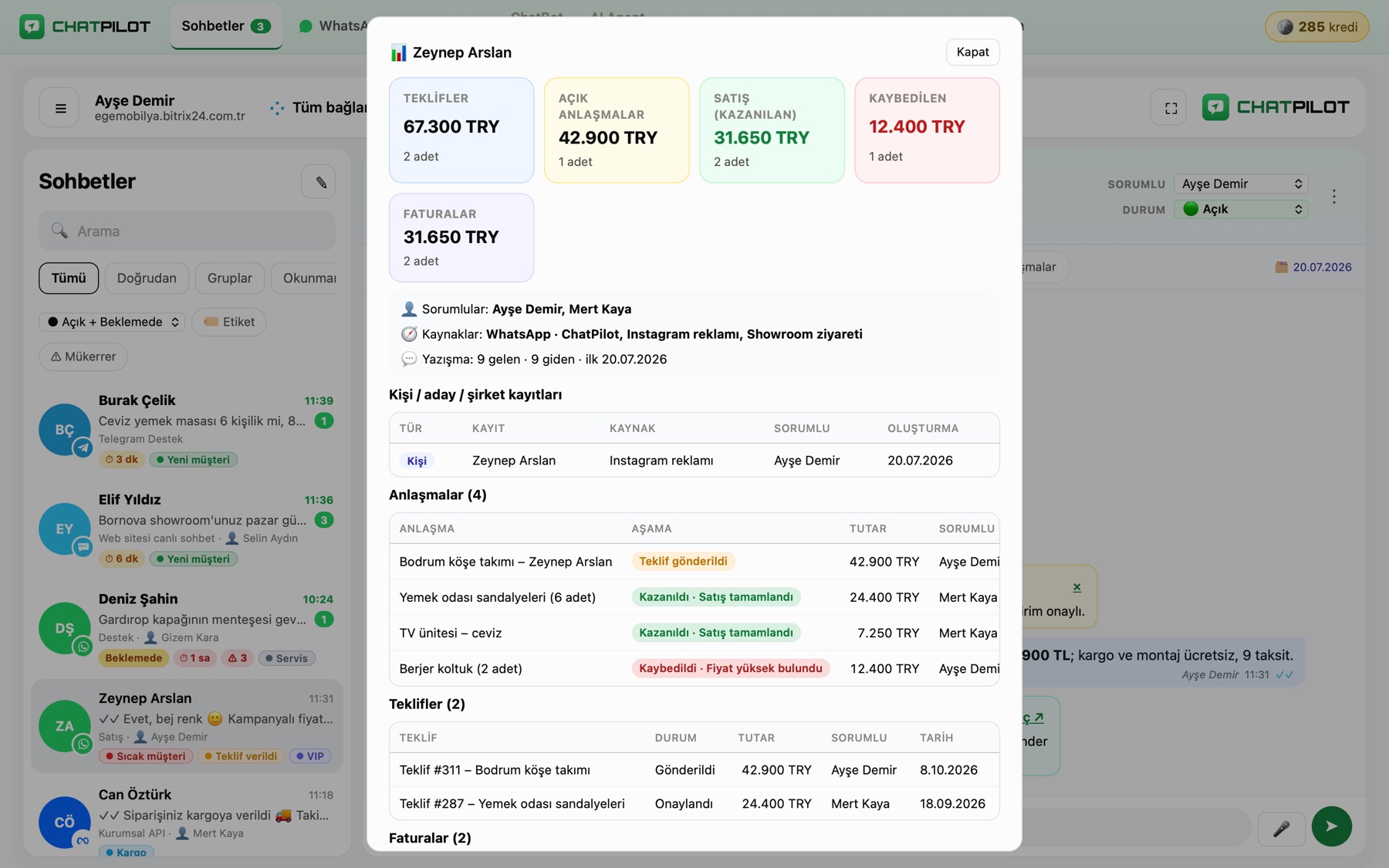
Customer insights
Inside the chat, see the customer's quote and sales totals, open, won and lost deals, deal owners and sources.
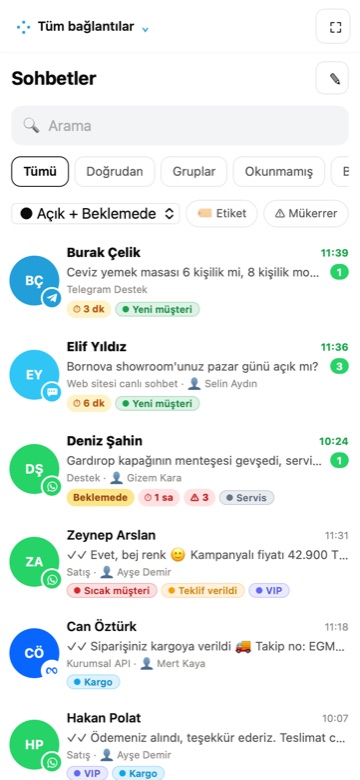
Anywhere
Your field team uses the same inbox. Messages also reach Bitrix24 Open Channels; reply from ChatPilot Web or from Bitrix24.
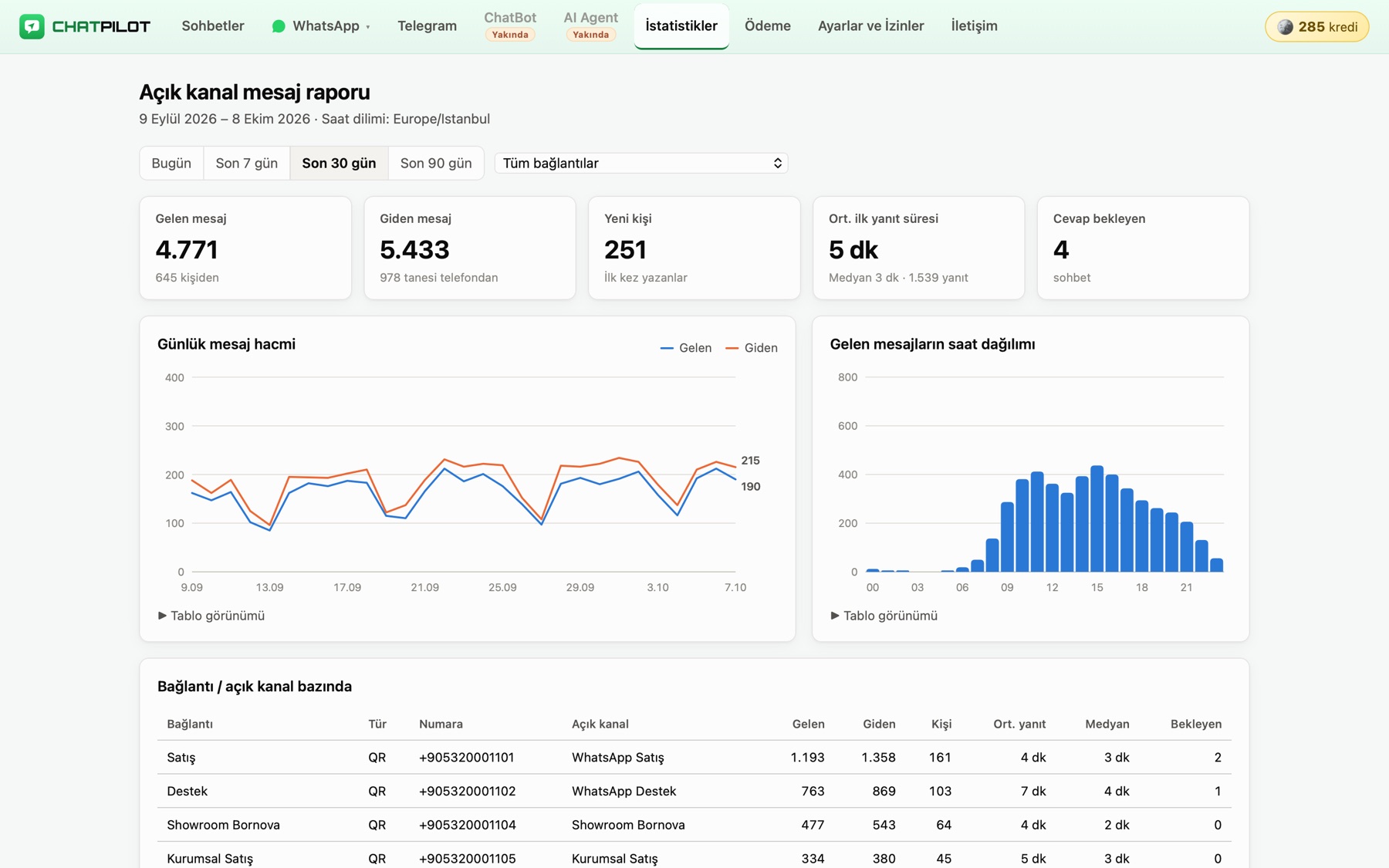
Reports and control
Contacts reached, inbound and outbound messages, chats waiting for a reply and first response time per number. Roles and permissions decide who can access which number and module.
What tools like Whatcrm and Wazzup offer, with Bitrix24 and local support.
Connect your existing number by QR in a minute; add an official WhatsApp Business API number for template messages.
Connect your Telegram account by QR; conversations reach the Open Channel and the inbox.
Your website live chat and other Open Channels in the same inbox.
Each number connects to its own Open Channel; sales, support and branches work separately.
Photos, video, documents, location and voice messages; delivered and read receipts.
Replies sent from WhatsApp on the phone also appear in the chat; no conversation is lost.
“Send SMS” in the Bitrix24 CRM is delivered via WhatsApp.
Data stays on servers in Türkiye; support every day 09:00–23:00 (GMT+3).
Install ChatPilot from Bitrix24 Market; the 4-day trial starts automatically.
Choose an Open Channel and scan the QR code with WhatsApp or Telegram. It connects in seconds.
Reply from the ChatPilot Web inbox or from Bitrix24 Open Channels.
Top up credits and activate any connection for the period you need. Bigger packs make credits cheaper, longer periods lower the monthly cost. Credits never expire.
| Connection | 7 days | 1 month | 3 months | 6 months | 12 months |
|---|
Credits are purchased and used in the app's Payment tab. Taxes excluded.
Market apps work on paid Bitrix24 plans and during the Bitrix24 trial; the Free plan does not allow installing apps.
No. The linked device works independently of the phone. If WhatsApp is not opened on the phone for more than 14 days, WhatsApp may log out linked devices.
There is no limit. Each number is connected to its own Open Channel and activated with credits separately.
No. Our admin panel does not show customer chats or message content; our team only sees technical information such as connection status and message counts. Message content is only looked at on your explicit request, for support purposes.
Buy a credit pack in the app's Payment tab, then activate connections for 7 days, 1, 3, 6 or 12 months; credits are deducted from your balance. Credits never expire, and unused credits are refundable on request. With auto-renewal on, a connection is extended by 1 month before it expires. Bonus codes can be redeemed on the same screen.
Numbers in the WhatsApp and WhatsApp Business apps. You link the number by scanning a QR code in “Linked devices” on your phone; no extra approval or application is needed.
Message delivery pauses but your WhatsApp link stays active. Once you activate it with credits you continue where you left off, without scanning the QR code again.
Messages are kept in your Bitrix24 portal. ChatPilot (WhatsApp, Telegram) only stores the records needed for delivery and reporting on its servers in Türkiye. See the Privacy Policy.
Leave your details and we will get back to you within 1 hour (every day 09:00–23:00, GMT+3).